
Turn a sketch into a garment
Turn a hand-drawn fashion sketch or technical flat into a realistic garment worn by an AI model, so you can review a design before sampling. Add style notes.
AI Sketch to Garment turns a fashion sketch into a photorealistic photo of the finished garment, worn by an AI model. Use it to see a design before you go to sampling.
Designers use it to visualize concepts and for line review, buyers and merchandisers to review collections quickly, and marketing teams to get preview images early.
Open AI Sketch to Garment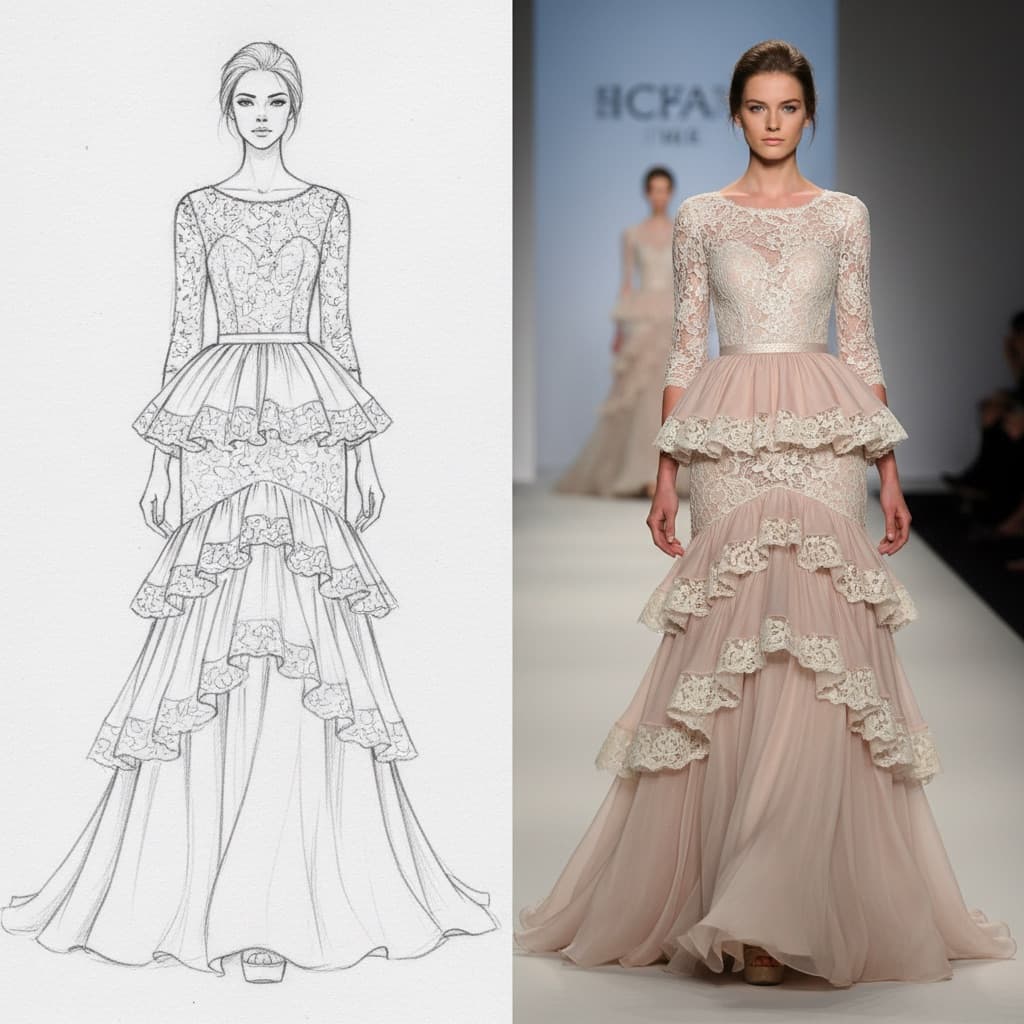
What to upload
Sketch (required). Any of these works:
- A hand-drawn croqui
- A digital fashion illustration
- A technical flat from your tech pack
- A phone photo of a paper sketch
Upload a JPG or PNG, in any aspect ratio.
Style notes (optional). A few words about style, fabric, fit or season, like "casual streetwear, linen fabric" or "silk chiffon, evening". They help get the fabric and fit right.
Turn a fashion sketch into a realistic image
Open AI Sketch to Garment
On the web, select AI Tools in the sidebar, then Sketch to Garment under CREATIVE.
The highlighted Style notes field is optional, but a few words about fabric and fit help.
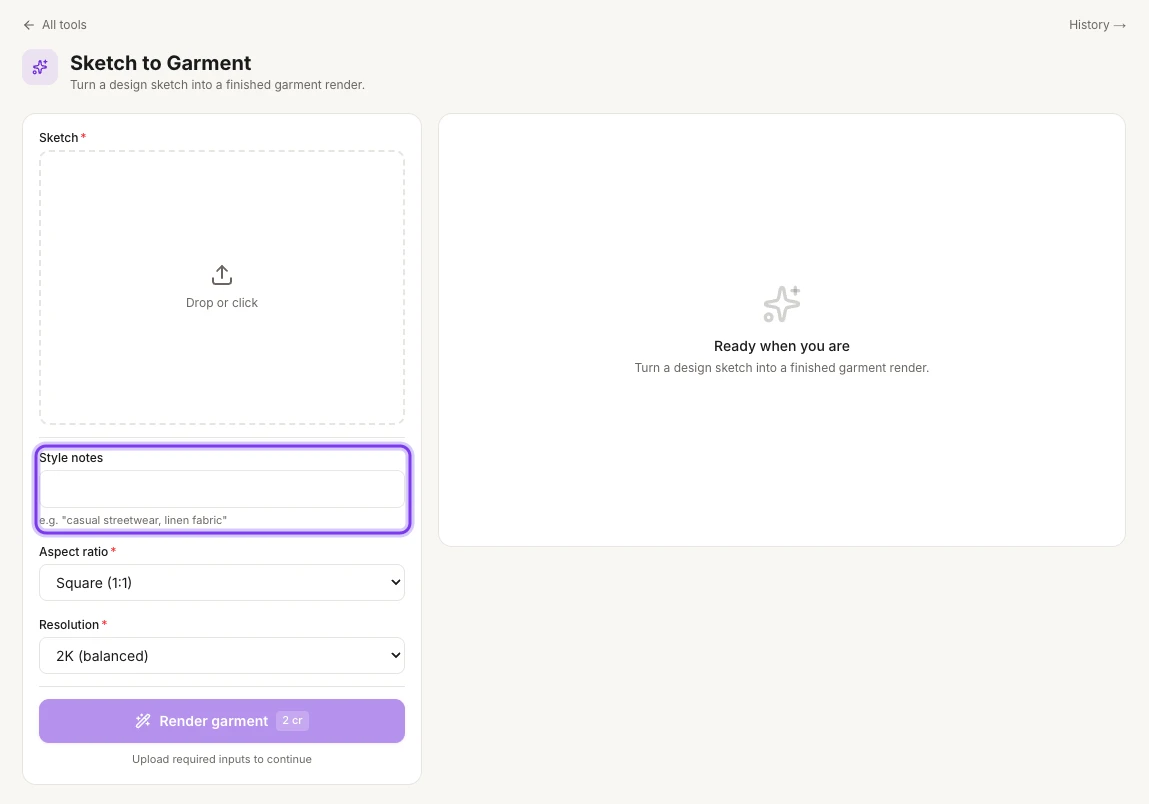
Upload your sketch
Upload the sketch or flat you want to see as a finished garment under Sketch.
Add style notes (optional)
Type a few words about the style, fabric or fit under Style notes, like "casual streetwear, linen fabric".
Choose the aspect ratio and resolution
Under Aspect ratio, pick Match input, Square (1:1), Portrait (4:5), 3:4, Vertical (9:16) or Landscape (16:9). Square (1:1) is selected at first. Under Resolution, pick 1K (fastest), 2K (balanced) or 4K (premium).
Render the garment
Select Render garment. The button shows the cost, 2 cr at 2K, and becomes available once you've added your sketch.
Find your render
Every run is saved in Tool history. To open it, select History → at the top right of the page.
What you get
A photorealistic editorial photo of your design on an AI model, ready for line review, mood boards or early lookbooks.
A preview, not a tech pack
The result helps with design decisions, line review, mood boards and pre-sale images. You still need proper patterns and tech packs for production.
Credits
AI Sketch to Garment costs 2 credits at 2K (balanced), the resolution that's selected at first. The Render garment button shows the cost before you start. See How credits work.
Tips
- You don't need professional drawing skills. Rough sketches work, but clean lines, like technical flats or refined croquis, give sharper results. Style notes help a lot.
- Try other colors: make the render first, then run it through AI Color Variation.
- Try another fabric: name the fabric in Style notes when you render.
Related
Change the background
Swap the background of a fashion or product photo for any scene: describe the new background or upload a reference photo, and keep the product as it is.
Make color variations
Render the same garment in up to six colors in one run, with the same model, pose and background, to build color stories and listings for every colorway.