
Build an outfit photo
Style a dress, or combine a top with an optional bottom, shoes, accessories and a model, into one outfit photo for shop-the-look banners, lookbooks and posts.
AI Outfit Builder styles a dress, or combines separate product photos, into one photo of a complete look. Upload a top or a dress, add a bottom, shoes, accessories or a model if you want, and get one photo with everything worn together, with matched lighting and a natural fit.
Use it for shop-the-look photos, outfit-of-the-day posts, bundle and combo listings, and lookbooks built from your existing single-product shots.
Open AI Outfit Builder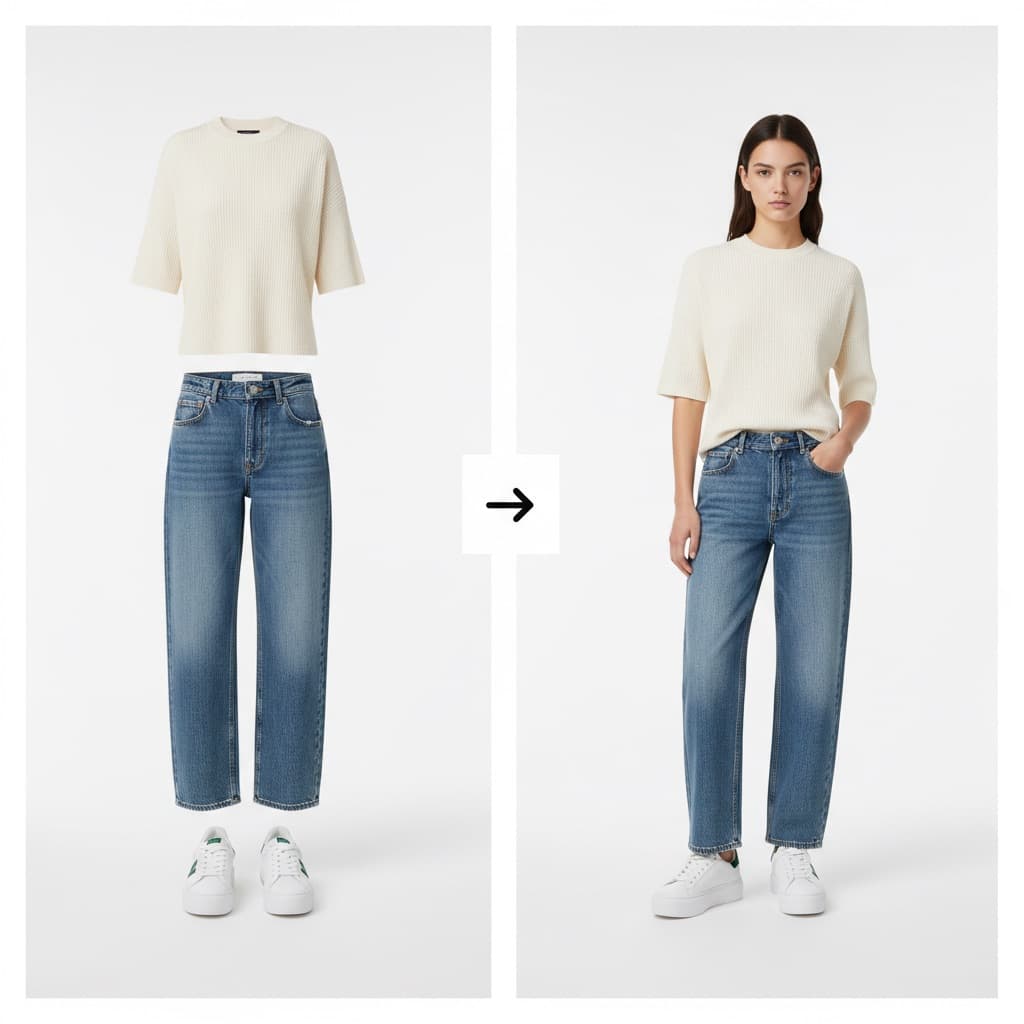
What to upload
| Upload | Required? | Notes |
|---|---|---|
| Top or dress | Yes | A top, a dress or a one-piece outfit |
| Bottom (optional) | No | Leave it empty for a dress. If you add a top without a bottom, simple neutral trousers are added. |
| Model (optional) | No | A photo of the person you want to show the outfit on |
| Shoes (optional) | No | Footwear to put on the model |
| Accessories (optional) | No | A bag, jewelry, eyewear, a hat or a belt. Everything in this photo is added to the look, so you can show several accessories in one photo. |
Each upload takes one photo.
Only use photos with permission
Only add a photo of a person who has agreed to it. The terms of service require their explicit, written consent.
Build a shop-the-look photo
Open AI Outfit Builder
On the web, select AI Tools in the sidebar, then Outfit Builder under CREATIVE.
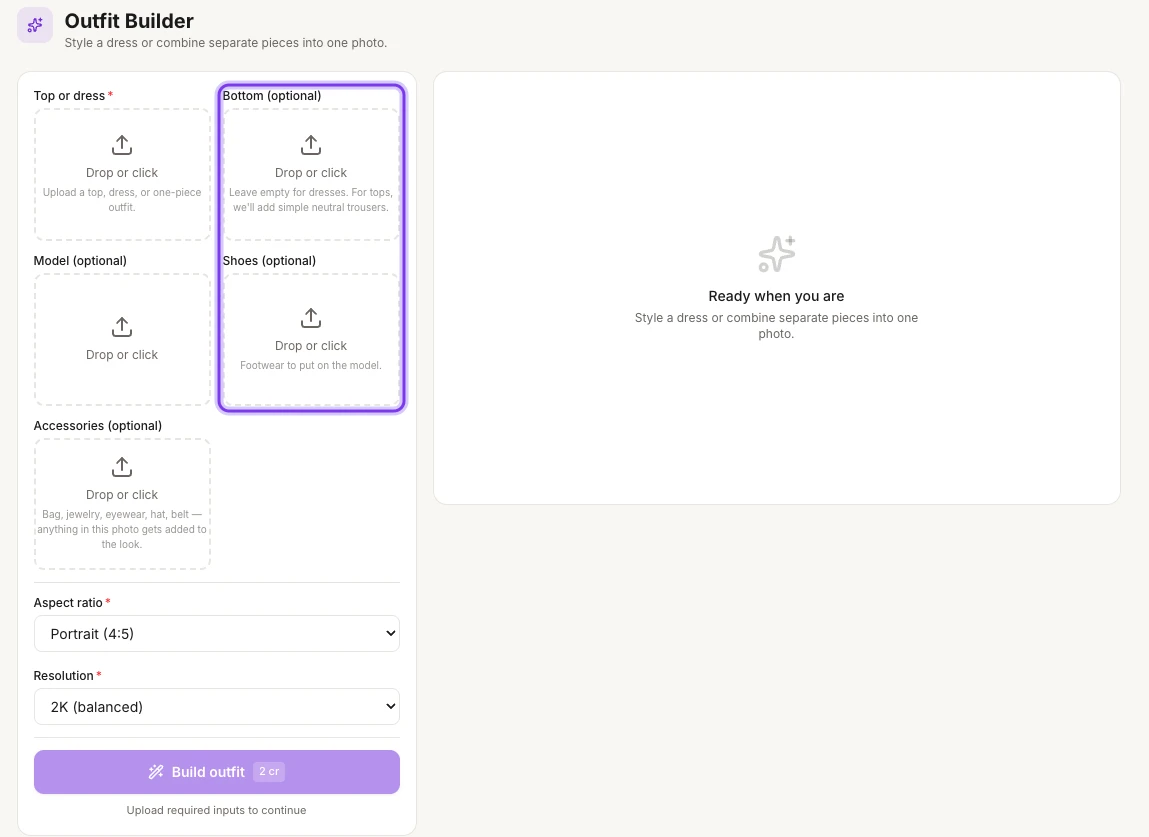
The highlighted Bottom (optional) and Shoes (optional) slots can stay empty, for example for a dress.
Add the top or dress
Upload the photo of the top or dress under Top or dress.
Add optional pieces
Add a photo under Bottom (optional), Model (optional), Shoes (optional) or Accessories (optional) for each piece you want. Skip anything you don't need.
Choose the aspect ratio and resolution
Pick the shape under Aspect ratio. Portrait (4:5) is selected at first. Under Resolution, pick 1K (fastest), 2K (balanced) or 4K (premium).
Build the outfit
Select Build outfit. The button shows the cost, 2 cr at 2K, and becomes available once you've added the top or dress.
Find your photo
Every run is saved in Tool history. To open it, select History → at the top right of the page.
What you get
One editorial photo of the full outfit, worn together, with matched lighting, ready for a shop-the-look section or a lookbook.
Credits
AI Outfit Builder costs 2 credits at 2K (balanced), the resolution that's selected at first. The Build outfit button shows the cost before you start.
Tips
- Keep one face across your looks. Upload the same model photo under Model (optional) each time, so every outfit shows the same person.
- Put the look in motion. Turn the outfit photo into a short video for Reels or ads. See Turn a photo into a video.
Related
Make color variations
Render the same garment in up to six colors in one run, with the same model, pose and background, to build color stories and listings for every colorway.
Product library
Keep every garment in your product library: upload photos, import images from a store link, search and rename products, and start a photoshoot in one click.