
Using the mobile app
Use ApparelAI on your phone: create photoshoots and use AI tools, pay through the App Store or Google Play, and get notified when your photos are ready.
The ApparelAI app lets you create photoshoots, make videos and use the AI tools from your phone. This page shows how the app is laid out and what works differently from the web app.
What you can do in the app
- Create photoshoots on an AI model from a photo of your garment, with your choice of model, pose and background.
- Start from a photoshoot template.
- Upload your own pose and background reference photos. See Poses and Backgrounds.
- Create your own AI model and reuse it across your catalog. See Choose a model.
- Turn your photos into short videos.
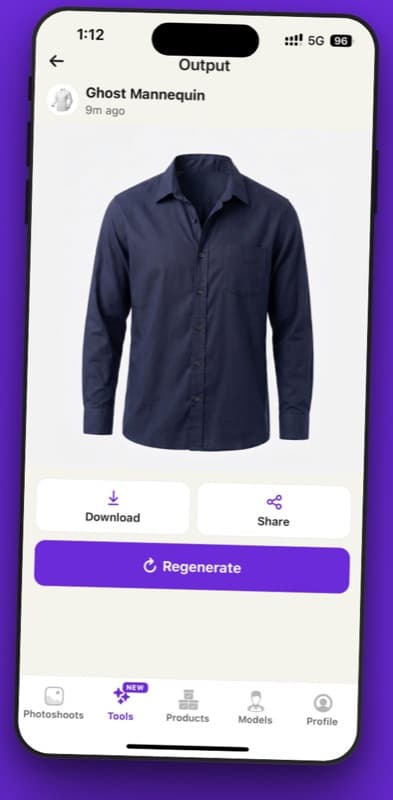
- Use the AI tools, such as Ghost Mannequin and Background Remover.
- Keep your garments in your product library.
Find your way around
The tabs at the bottom of the screen take you to the main parts of the app.
| Tab | What's there |
|---|---|
| Photoshoots | Your photoshoots |
| Tools | The AI tools |
| Products | Your saved garments |
| Models | Your AI models |
| Profile | Your account |
Create a photoshoot
A new photoshoot takes five steps: Upload, Model, Pose, Background and Generate. On the last step you choose the aspect ratio and resolution, can add instructions, and see the credit cost next to your balance before you start.
To add a garment, take a photo with your camera or pick one from your photo library. iPhone HEIC photos are converted automatically.
For every option in the flow, see Create a photoshoot.
Download and share results
Results have Download and Share buttons, so you can save a photo to your phone or send it straight to another app.
For marketplace sizes and downloading several photos at once, see Download and export.
What's different from the web
You pay through the App Store or Google Play
Plans and credit packs you buy in the app are billed by Apple or Google Play instead of by card. The app also offers weekly billing, which the website doesn't. Prices in the app can differ from the website because of local taxes, currency conversion and store pricing. The price the app shows when you buy is the price you pay. See Subscriptions in the app.
You get push notifications
The app can send push notifications to your phone when your generations finish, so you don't have to keep checking. On the web, ApparelAI uses your browser's notifications instead. See Notifications.
Set your garment mode
Photoshoot mode sets the garment mode you work in: Standard, Saree Mode, Dupatta Mode, Salwar Kameez Mode or Shirt Mode. For sarees, you also choose the Saree engine: Normal or Advanced (Beta). On the web, these are on the Settings page. See Switch modes and Change your account settings.
Report an inappropriate result
The app has content filters for inappropriate results. If you still get one, you can report it from inside the app.
Related
Get the mobile app
Download the ApparelAI app for iPhone and Android to create AI model photoshoots from your phone, signed in with the same account you use on the web.
Subscriptions in the app
Buy, restore, change or cancel an ApparelAI subscription in the iPhone or Android app, and learn how App Store and Google Play billing and refunds work.